
For more than a week, I’ve been testing HTC’s new entry-level smartphone, the HTC Smart. Here are my impressions of the said smartphone.
Design
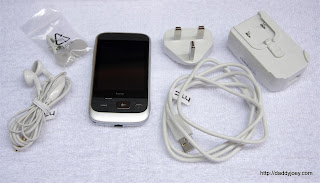
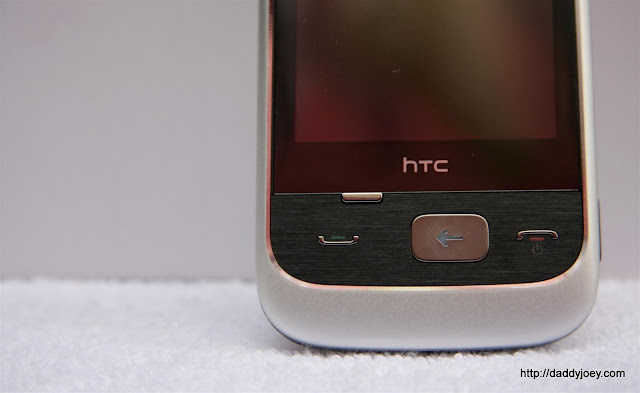
Despite being a low-priced smartphone, the HTC Smart features an attractive and elegant design. The body is made of solid plastic with aluminium-like finish on the front and a softer, glossy plastic back cover.The smartphone features a 2.8-inch TFT-LCD touch screen with QVGA (320×240) resolution. Below the display are the Menu, Call, Back/Home and End Call/Power buttons. On top of the display screen beside the earpiece is a Notification LED which functions when you miss a call, when charging or when the phone battery is running low.
Located on the top of the smartphone is a 3.5mm headset jack. On the left side is the Volume control and on the right side is the Capture button (for taking photos/videos). An 11-pin mini-USB 2.0 connector can be found at the bottom.
The AC charger is a clip-on and can also be used as a USB charger and data cable. The headset is nothing out of the ordinary.
At 108 grams, the phone is light and it fits well and feels comfortable in the hand.
Interface and Performance
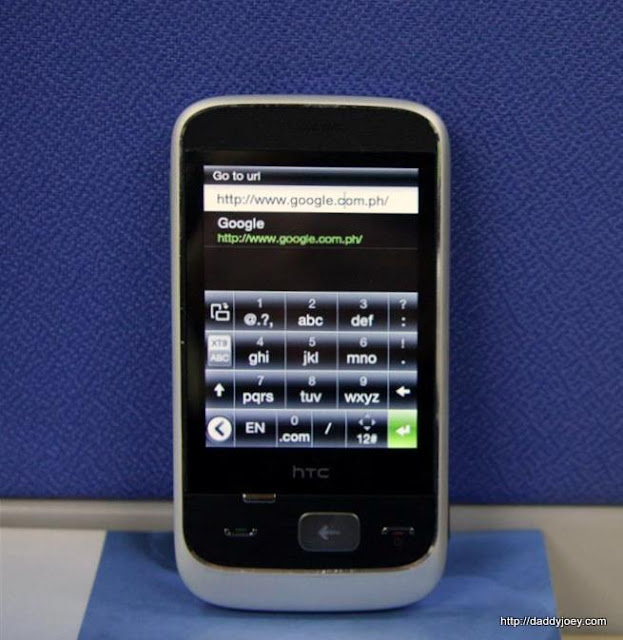
The HTC Smart is powered by a 300 MHz processor running on Brew Mobile Platform OS with HTC Sense.The display screen is resistive and therefore less responsive than other HTC smartphones with capacitive touch screens such as the HTC Legend. There is no multi-touch support.
The HTC Sense introduces a total of seven home screens: Weather, Photo, Music, Contacts, FriendStream, Messages and the Main home screen. These provide quick access to your information and media.
The Main home screen can accommodate up to nine application shortcuts. By default, it displays the clock and three shortcuts. You can slide your finger upwards to view all the nine shortcuts.
The home screen is customizable and you can select preset layouts called Scenes or change the Home or Lock Screen wallpapers. Sliding your finger from the top of the screen displays the Scene selection and the Notifications.
You can easily navigate thru the different screens by sliding your finger horizontally or vertically across the screen.
To remove a shortcut, simply press and hold then drag and release the shortcut.
Pressing the Back/Home button will bring you back to the Main home screen. Pressing it while at the Main home screen will show all applications/programs.
It took some time for me to get used to the controls and navigation of this smartphone.
Calling
You can add up to nine commonly used numbers or contacts on the Contact/People screen for easy access. There is a Smart Dial that automatically filters contacts by name or number while dialling. Call quality is decent but I experienced some difficulty with the loud speakers since they are located at the back of the phone.Messaging
The messaging client allows you to send an SMS, MMS or Email and to attach photos, videos, audio and contacts easily. Messages are displayed on a thread so it is easy to backtrack conversations.Changing the orientation of the phone automatically switches Phone keypad (portrait) to QWERTY keypad (landscape). Using the virtual keypad requires some familiarization and practice.
Internet and other connectivity
The HTC Smart doesn’t have a Wi-Fi and uses 3G/GSM/GPRS/EDGE to connect to the Internet. The browser can be switched to landscape or portrait orientation. You can zoom in/out by double tapping the display.The phone has Bluetooth 2.0 and can also be connected to the PC via the mini-USB connector.
It has an Airplane mode option which allows you to disable all wireless connections when travelling.
FriendStream
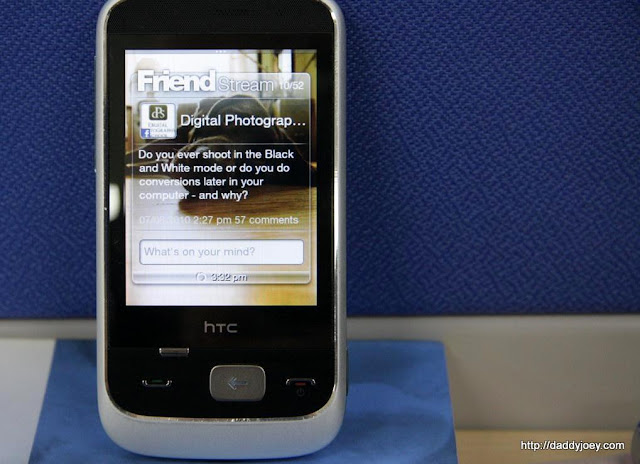
One of the main features of the HTC Smart is the FriendStream. The Friendstream aggregates updates from your Facebook and Twitter contacts. It also allows you to view and update your status and share links and photos easily.Media
CameraThe HTC Smart uses a 3.0 megapixel camera with a flashlight but without an autofocus. The camera has a minimum resolution of 320×240 and a maximum resolution of 2048×1536. You can set the camera’s brightness and contrast and choose from different filters like Grayscale, Sepia and Negative. There are no dedicated controls for zooming in/out and you can zoom via the Menu. You cannot zoom the camera while taking videos. The smartphone allows you to share photos directly by Mail, Messaging, Facebook and Bluetooth.
Video
The video almost shares the same features as the camera. You cannot share videos directly in Facebook though.
FM Radio
The radio lets you to listen to your favourite FM Radio stations. It displays six radio stations for quick access and also allows you to add stations to presets. You can listen to Mono or Stereo mode and also enable the speakers. The headset works as an antenna and you need to connect the headset to use this feature.
Music
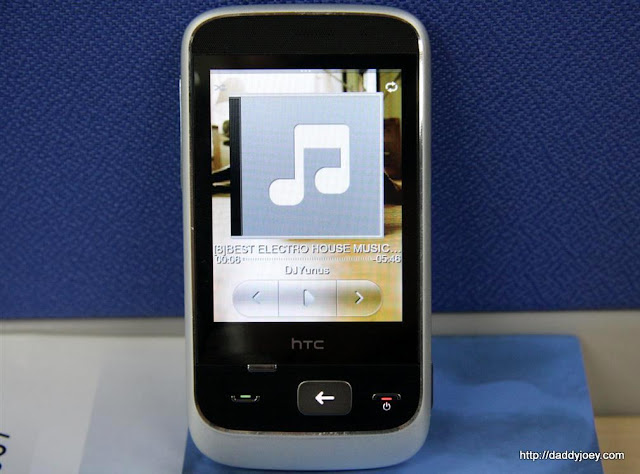
The HTC Smart has a built in music player that allows you to load and listen to your favourite music by Artist or by Album. You can also create a playlist or load all available songs and even share music via Bluetooth.
The sound quality is impressive with the headset on. The speaker is also loud but sound quality is not superior.
Others
Battery LifeBattery life proves to be a plus for HTC Smart. I can use the phone for 3 or 4 days in just one charging.
Storage
The HTC Smart has 256 MB ROM and 256 MB RAM. It supports memory expansion through a microSD card.


No comments:
Post a Comment